
The Graphics Mode and SE Mode toggles, English or Japanese voices, destination icons and assists, and why this build follows the PSP port with no co-op.
Tales of Eternia Remastered Differences: Original vs Remastered
Yes, you can play the old presentation. Two separate settings under Menu > Custom, Graphics Mode and SE Mode, each switch between Remastered and Original, and both can be flipped at any point in a playthrough. The interface does not move with them: Bandai Namco's own change list states the UI stays the same whichever graphics mode you select, so only the artwork behind the menus changes, not the menus themselves.
What the toggle is not is a trip back to 2000. This release was developed from the 2005 PlayStation Portable version of Tales of Eternia, the port that reached Japan that March and PAL territories in February 2006 and never shipped in North America at all. That port was already widescreen and already built around a single player, so the two things returning players ask about first are worth stating flat: there is no four-player local co-op here, and the PlayStation-era 4:3 frame is not one of the two options.
- Graphics Mode (Menu > Custom): Remastered or Original background artwork, switchable on the spot.
- SE Mode (Menu > Custom): Remastered or Original sound effects, kept separate from the music and voice settings.
- Voice Language (Menu > Custom): English or Japanese, in its own entry rather than bundled into either mode toggle.
- Single-player only: the official product page, the PlayStation Store listing and the Steam feature list all describe one player, and no menu option adds a second.
The Two Presentation Toggles and Where They Live
Every Remastered-versus-Original choice sits in the same Custom menu, and none of them are gated behind a cleared save or a difficulty setting.
| Setting | Options | Location | What it changes |
|---|---|---|---|
| Graphics Mode | Remastered / Original | Menu > Custom > Graphics Mode | Background graphics for fields, towns and dungeons |
| SE Mode | Remastered / Original | Menu > Custom > SE Mode | Sound effects |
| Voice Language | Japanese / English | Menu > Custom > Voice Language | Spoken dialogue |
| Battle BGM Settings | Deluxe Edition or Deluxe Upgrade Pack owners only | Menu > Custom > Battle BGM Settings | Replaces the battle track with one you pick; random encounters only |
| Movement | Walk / fast movement | Menu > Custom > Movement | The default field movement speed |
| Combat Level | Mania from the first playthrough, Unknown from the second | Menu > Custom > Combat Level | Enemy difficulty tier |
| Font Style | Remastered / Classic | Menu > Custom > Font Style, Japanese language setting only | The game font, added in the version 2.0.0 patch |
Official source: Tales of Eternia Remastered change list (Bandai Namco official site)
The Steam store description makes the same promise in English, saying graphics and SFX can be toggled between modes to bring back the nostalgic atmosphere of the original game. It is worth reading that sentence literally: the toggles cover artwork and sound effects, and nothing else.
Official source: Tales of Eternia Remastered on Steam
What Original Mode Actually Changes
The official change list does not just describe the feature, it publishes the same scene twice, as a Remastered image and an Original one. Both of those images are 900x506, the same 16:9 framing, which tells you what the swap is: a redraw of the artwork, not a change of screen shape, camera angle or interface. If you were hoping Original mode would restore the PlayStation disc's 4:3 picture, it does not. It is a second artwork pass over the remaster's widescreen frame.
RPG Site tested both options on Switch 2 before launch and preferred the old one, writing that the game looks and runs perfectly in its Original graphics mode, and that the Remastered mode is a bit too jarring for their liking because of the upscaling used on parts of the image and for some sprites, but not others. That is a presentation preference rather than a performance problem, and it is the only public side-by-side test of the two modes from the launch window.
Official source: Tales of Eternia Remastered Switch 2, Steam Deck, Switch 1 and ROG Ally impressions (RPG Site)
RPG Site found that Switch 1's long in-game loads affect the time taken to change the graphics mode, so the swap is not instant on that console. Switch 2 loads far faster, so the cost there is small. On Switch 1, decide at the title screen rather than halfway through a dungeon.
This Is the PSP Release's Game, Not the PlayStation Disc's
The original game arrived in Japan in November 2000 and in North America in September 2001 renamed Tales of Destiny II. The PSP port followed in Japan on March 3, 2005 and in PAL territories in February 2006, and unlike the console original it was never released in North America. The remaster takes that port as its base, and this time the publisher says so in its own product footnote: the game was developed from the 2005 PlayStation Portable release, with some specifications differing.
Official source: Tales of Eternia Remastered official site (Bandai Namco)
Wikipedia's account of the port is the clearest list of what that base implies: loading times cut far enough that the now-loading screens disappeared, field graphics cropped to suit the handheld, battles redone in full widescreen, and a better frame rate on the overworld map.
Source: Tales of Eternia (Wikipedia)
Two consequences matter more than the trivia. First, the wide field framing you will see is the port's, so the proportions of towns and dungeons are not the ones a 2001 player memorised. Second, if your memory of this game is the North American Tales of Destiny II, the version you remember is not the version this release descends from, which the naming history page unpacks.
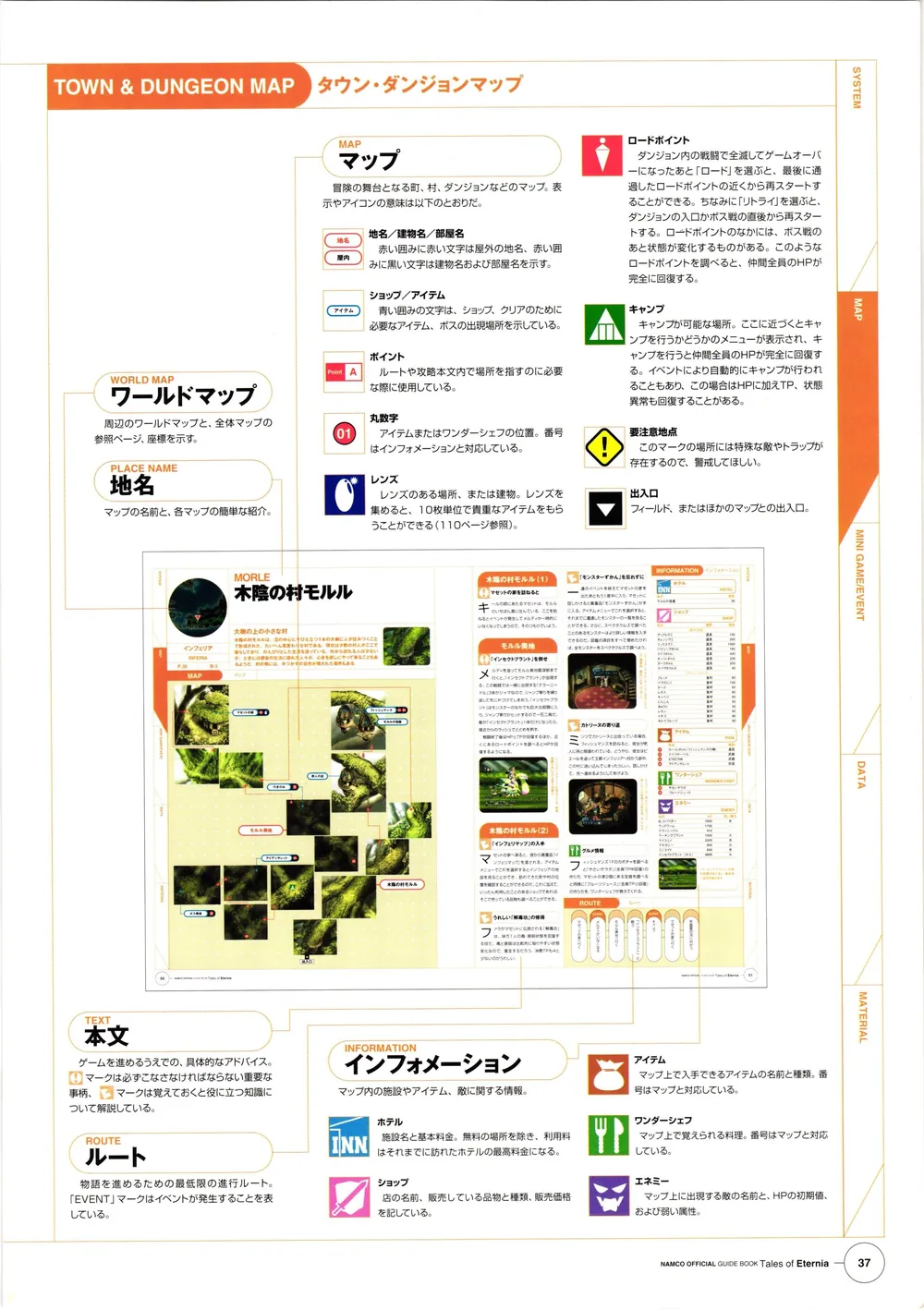
That scan is from the Namco Official GuideBook printed for the 2000 PlayStation release, held on archive.org. It documented the original's map and icon conventions on paper. In the remaster the same job is done on screen, with destination icons drawn over the field and a distance figure attached to each one.
Source: Tales of Eternia Namco Official GuideBook (archive.org, 2000)
Four-Player Local Co-op Is Gone
The PlayStation release ran its battles in real time and supported a multiplayer party; Wikipedia's PlayStation Multitap compatibility page files Tales of Eternia in its 1-4 player group, and the game's own article lists its modes as single-player and multiplayer. That local battle co-op is the feature a lot of people remember most fondly, and it does not exist here. The PlayStation Store listing for the remaster reads offline play enabled, 1 player, Remote Play supported, and Steam's feature list contains Single-player with no co-op category at all.
Official source: Tales of Eternia Remastered on PlayStation Store
How the PSP port handled multiplayer is less settled than the coverage suggests. One Wikipedia list of cooperative games still credits the 2005 PSP release with battles-only co-op, and the port is what this remaster is built on, so the exact point at which the feature disappeared is not something any single source here settles. What is settled is the shipped product: one player, no co-op entry anywhere in the menus, and complaints about it in the Steam discussions and on r/tales during launch week are community reaction rather than a publisher statement. No setting in Menu > Custom brings a second player in.
| PlayStation release (2000 / 2001) | PSP port (2005 / 2006) | Remastered (October 2026) | |
|---|---|---|---|
| Screen shape | Not widescreen | Widescreen | 16:9 in both Graphics Modes |
| Local battle multiplayer | Supported, up to four players | Disputed between sources | None; single-player only |
| Graphics Mode toggle | Not applicable | Not applicable | Remastered or Original, at any time |
| SE Mode toggle | Not applicable | Not applicable | Remastered or Original, at any time |
| Destination icons | Not applicable | Not applicable | Four icon types, each with a distance readout |
Destination Icons and the Assist Functions
Four destination icons are painted onto the world, all toggled together from Menu > Custom > Destination Icon, and all of them show how far away the target is. The official list also warns that some gimmicks along the way carry no icon at all, so the markers are a guide rather than a route.
| Icon | What it marks |
|---|---|
| Yellow exclamation mark | Main scenario destinations |
| Star | Valuable items such as encyclopedias and maps |
| Hourglass | Events tied to titles or items with a limited acquisition window |
| Blue exclamation mark | Events where new artes and skills are learned |
The hourglass is the one with real consequences for completion, because it marks the windows that close, and the missables page covers what sits behind them. The combat-facing additions overlap with the battle system, and mini-game skip and retry belong with the minigames.
| Assist | What it does | Where |
|---|---|---|
| Boost Function | Speeds up progression, with a few items excluded | Menu > Custom > Boost Function |
| Battle Retry | Retry a lost regular battle instead of reloading | Game Over menu |
| Quick Recovery | Heals all party HP and status ailments at once, with a selectable method and percentage | Button on the menu screen |
| Autosave | Saves after map changes and events; the autosave sits at the top of the load screen | Automatic |
| High-speed AUTO battle | Switches auto-battle to high speed, and back, with one button | In battle |
| Field fast movement | Hold the button to move quickly; the default movement type is a setting | Field / Menu > Custom > Movement |
| Event, skit and movie skip and pause | Long press to skip, short press to pause with a skip prompt | Anywhere a cutscene plays |
| Enemy encounter toggle | Turn random encounters off to explore, then switch them back on | Menu > Custom |
| Mini-game skip and retry | Skip a minigame, or retry it mid-run | In minigames |
| Button guide and Tips | Input prompts after inactivity, plus in-game explanations and a Help glossary | On screen / Menu > Custom > Help |
Voice, Subtitles and the Sound Menus
English and Japanese are both full voice tracks, and Voice Language switches between them independently of Graphics Mode and SE Mode. Subtitles were added where the original had none: skit movies, some minigames, and the victory and Mystic Arte lines on the post-battle results screen, the last of those with its own Battle Subtitles toggle.
The Sound Player is new, and it earns its place from the second playthrough onward, when Battle Voice, Scenario Voice and Movie Select join BGM and SE playback. What is missing from the audio menu is the original version's Sound Test, which the official list states is not implemented in the remaster.
There is a third Remastered-versus-Classic switch beyond graphics and sound effects, and it is the one most players cannot touch. Font Style, added in the version 2.0.0 day-one patch, swaps between a Remastered and a Classic font, and the official notes restrict it to players running the game with Japanese as the setting language and admit it does not apply to every piece of text. Master Volume, brightness adjustment and sample playback buttons for SE and voice volume round out the audio and display options.
Removed, Rewritten and Rebalanced
The change list is not all additions. This table covers the items where the remaster behaves differently from the version it is based on.
| Change | Detail |
|---|---|
| Character renaming | Removed; the original allowed you to rename party members |
| Sound Test | Not implemented, despite existing in the original volume settings |
| Tales quiz | The questions in the academic town of Mintz were completely replaced |
| Colour vision support | Dungeon gimmicks and minigames that needed colour identification were redesigned to read without it |
| Nereid's Labyrinth | Was restricted to later playthroughs; now opens when you reach the interior of Shizel Castle in the first playthrough |
| Mania difficulty | Was unlocked after a second playthrough in the original; selectable from the start here |
| Unknown difficulty | New in the remaster; opens at the start of a second playthrough |
| Inferia Arena championship | The All-Time Champion Deciding Match can be retried after clearing it, though the reward items remain once per playthrough |
| Auto-cooking | Defaults to the party member with the highest cooking proficiency |
| Battle BGM | Deluxe Edition or Deluxe Upgrade Pack owners only, and only in random encounters |
| Presentation fixes | UI adjustments and additions, effect changes, and typo corrections |
On those difficulty names, the Japanese change list uses Mania, and Bandai Namco's own English announcement describes the same pair as Extreme, available from the very start, and Unknown, which unlocks once you have completed the game. The difficulty page sorts out which label you will see in your region.
One translation slip is worth knowing before you plan a run: the Japanese original names the unlock point for Nereid's Labyrinth as the interior of Shizel Castle, while the English translation of the list that has circulated since July 2026 renders it Balir Castle. Shizel Castle is the name to plan around, and the higher-difficulty dungeon itself is covered on the Nereid's Labyrinth and Glimmer Spire page.
The Pre-Launch Change Lists Are Wrong About Titles
The widely copied English translations of the feature list date from July 2026 and state flatly that titles are not transferred between playthroughs. That was true when the list was published and is not true now. Titles were added to the carryover set in version 2.0.0, the day-one patch, and the official site notes that using the title transfer requires updating to v.2.0.0. So the transfer screen covers character information, titles, learned artes and skills, items in your possession, Lens progress, cooking recipes, commands, the Collector's Encyclopedia and the Monster Encyclopedia, and any guide that says otherwise is working from a pre-patch document.
That list is still the best single source for everything else on this page, because it is the publisher's own accounting of what changed. Read it with the patch note in hand.
FAQ
Can you switch between original and remastered graphics in Tales of Eternia Remastered? Yes. Graphics Mode in Menu > Custom switches background graphics between Remastered and Original at any point in a playthrough, and SE Mode does the same for sound effects. Neither toggle is locked behind a difficulty, a cleared save or a story milestone.
Does the UI change when you pick Original graphics mode? No. The official change list states the UI remains the same regardless of which mode you select, so only the artwork behind the interface changes. The menu layout, the HUD and the text treatment are the remaster's in both modes.
Does Tales of Eternia Remastered have co-op or multiplayer? No. The PlayStation Store listing reads 1 player, Steam's feature list has Single-player with no co-op category, and the official product page lists Single-player. The PlayStation release supported multiplayer in battle, and that gap is the most common complaint from returning players in the first week after launch.
Is Tales of Eternia Remastered based on the PSP version or the PlayStation version? On the PSP port. The official product page footnote says the game was developed from the 2005 PlayStation Portable release with some specifications differing, and what you see follows that: widescreen framing in both Graphics Modes, tightened loading, and single-player design. The PSP release never came out in North America, which is why the game North American players know as Tales of Destiny II on PS1 can feel like a different build.
Where did the Sound Test and character renaming go? Both were left out. The official list says the original version's Sound Test under the sound volume settings is not implemented in the remaster, and that the character name change function will not be implemented either.
Does Original Mode bring back the old sound effects as well as the old art? They are separate switches. SE Mode handles sound effects on its own, so you can run Original art with Remastered audio, or the reverse, depending on what you prefer.
Related Guides
- Tales of Eternia Remastered Switch and PC Issues - the movement and load problems reported on Switch, and how they affect a comparison run.
- Tales of Eternia New Game Plus and Carryover - the full transfer list, including the titles entry the day-one patch added.
- Tales of Eternia Remastered Difficulty Modes Explained - where Mania and Unknown sit now that both moved in the schedule.
- Tales of Destiny II vs Tales of Destiny 2 Explained - the naming history behind the version many players actually remember.
- Tales of Eternia Sidequests and Missable Events - what the hourglass icon is warning you about, and when each window closes.
- Tales of Eternia Glimmer Spire and EX Dungeon - the dungeon whose unlock point moved into the first playthrough.
More Tales of Eternia Remastered Guides
Tales of Eternia Remastered on PS5, PS4, Xbox, Switch, Switch 2 and Steam: target resolutions, the 60fps cap, day-one update sizes and measured load times.
Tales of Eternia Remastered fixes: the Switch analog movement bug and its d-pad workaround, long Switch 1 loads, and the docked Steam Deck 720p lock.
New to Eternia? How the destination icons work, when to use Boost and Battle Retry, which early purchases are traps, and when cooking starts paying off.
A chapter-by-chapter walkthrough hub covering all three arcs of Remastered, with links to boss strategies, Craymel dungeons and missable events.
HowLongToBeat has no remaster times yet; the 2000 original averages 33 hours for the story, 42 with sides and 73.5 hours for full completion.
Every Tales of Eternia minigame and where to find it: the Rasheans river race, Craymel Ball, Chamballoon, the stone game and the cooking contest.
Every Tales of Eternia artes family by character: Reid, Farah, Keele, Meredy, Chat and Max, with TP costs, unlock conditions, combo routing and Mystic Artes.
The best party in Tales of Eternia Remastered is Reid, Farah, Keele and Meredy, with the Craymel Cage split deciding who heals and who carries the damage.